Play free online
Cartoon Color Match Game Online
Play Toon Tone's free Cartoon Color Match Game online, then use this guide to improve your HSB slider control. A good round is not just about picking the right hue; it also depends on saturation, brightness, and how well you remember the overall cartoon tone.
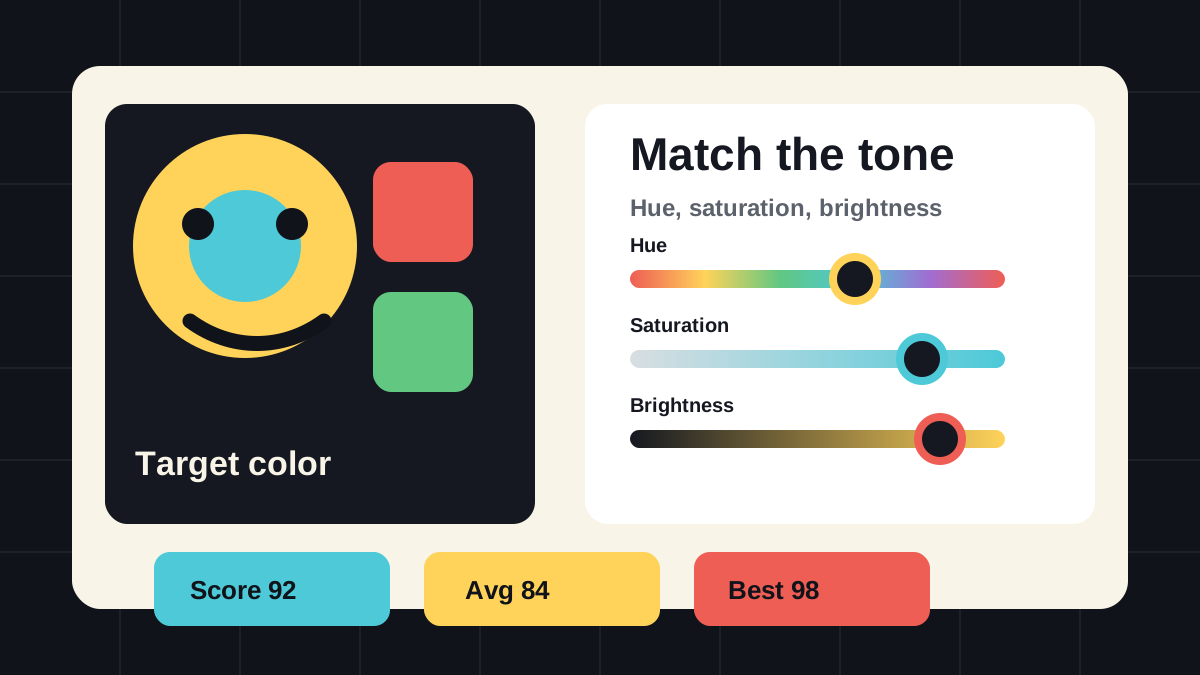
Play a cartoon color match game online
A cartoon color match game asks you to recreate a target color that feels like it belongs in an animated character, prop, outfit, or scene. The color is usually bold enough to be memorable, but small differences still matter. A yellow can feel warm and sunny, a little green, or slightly muted. Those details affect your score.
In Toon Tone's Cartoon Color Match Game, each round gives you a target swatch and HSB controls. You can play it as a direct matching challenge or hide the target and turn it into a memory test.
This is different from a normal color picker because the goal is not to choose a pretty color. The goal is to rebuild a specific color under pressure, then learn which part of your color memory was accurate and which part drifted.
Why HSB sliders help
HSB separates the color decision into three parts. Hue chooses the color family, saturation controls how vivid the color feels, and brightness controls how light or dark it is. That is easier than guessing raw red, green, and blue values because your eye usually notices these three dimensions separately.
If your guess looks close but scores poorly, check the dimension you ignored. Many players get the hue right first, then lose points because the color is too gray, too bright, or too dark.
How to play a fast round
Start by looking at the target for a few seconds and naming the color family in your head. Do not start with the exact hex value. Think in broad terms first: lemon yellow, soft cyan, tomato red, leaf green, violet, or orange.
Next, move the hue slider until the color family is close. Then adjust brightness until the guess has the same weight as the target. Finally, move saturation until the color feels equally vivid. When all three dimensions feel aligned, lock the match and compare the score.
For a harder session, hide the target before touching the sliders. That makes the game closer to the main Toon Tone memory format, where you rebuild a cartoon tone after the reference is gone.
Example round routine
Imagine the target is a bright yellow cartoon tone. First, slide hue until the preview clearly sits in the yellow range instead of orange or green. Second, lower or raise brightness until the color has the same screen weight as the target. Third, increase saturation until the yellow feels animated rather than pale.
If the final result looks too green, your hue drifted. If it looks washed out, saturation was too low. If it looks like the same yellow but feels heavier or lighter, brightness was the miss. This routine turns each wrong guess into a useful next attempt instead of a random failure.
How to improve your score
Improvement usually comes from reducing one kind of mistake at a time. If you often miss by a lot, slow down on hue. If you are close but not excellent, pay attention to brightness. If your guess looks too dull or too neon, focus on saturation.
- Use hue to find the color family before judging anything else.
- Compare brightness by squinting slightly or looking away and back.
- Adjust saturation last because vividness changes how bright a color appears.
- After each lock, notice whether your miss was hue, saturation, or brightness.
Color match cartoon characters
Pure color matching is good practice, but named character prompts add memory pressure. A prompt like a shirt, skin tone, shorts, tie, or fur color forces you to remember a specific detail rather than a random swatch.
After a few pure rounds, try Character Mode. You can also browse the character color roster first if you want to see which characters and target parts are currently included.
Common color matching mistakes
The most common mistake is moving saturation too early. A very saturated wrong hue can look convincing for a moment, but it becomes harder to correct because the color feels loud. Keep saturation moderate until hue and brightness are close.
A second mistake is trusting the name of a color too much. Cartoon colors are often stylized. A character's "red" may lean orange, a blue may be brighter than expected, and a skin tone may be more yellow or pink than memory suggests.
FAQ
What is a cartoon color match game?
It is a browser game where you recreate a cartoon-style target color and compare your guess with the original. Toon Tone uses HSB sliders so the challenge feels closer to visual memory than raw color coding.
Can I play a cartoon color match game online for free?
Yes. The Cartoon Color Match Game is free to play in a browser and does not require a download or account.
What is the best way to improve my score?
Work in order: hue, brightness, saturation. After each locked guess, decide which one was most wrong and focus on that dimension in the next round.
Is HSB better than RGB for matching colors?
For most players, yes. HSB maps better to how people describe colors: what color family it is, how vivid it is, and how light or dark it feels.