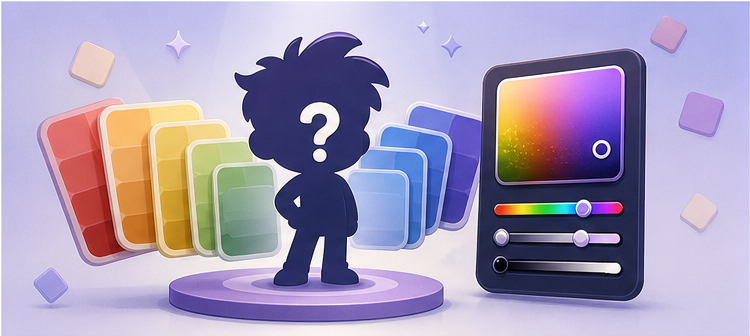
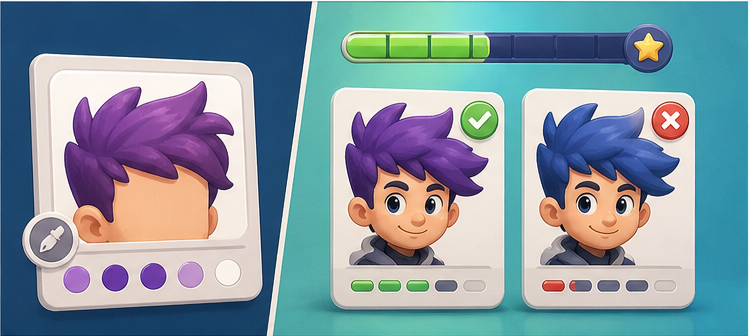
Play a free online game where you guess the color of cartoon characters. Each round names a character part, then asks you to rebuild the right cartoon color with hue, saturation, and brightness sliders.
The game is not only about naming a basic color. You have to rebuild the exact cartoon character tone closely enough to score well.
Play the cartoon color guess game first
If you searched for a game where you guess the color of cartoon characters, open Character Mode first. It is the playable version of this page: six rounds, named character prompts, HSB sliders, instant scoring, and a true color comparison after each guess.
Play the guessing game
Best when you want to rebuild the exact cartoon character color yourself.
Try the palette quiz
Best when you want to see a color first and guess which character part it belongs to.
What does it mean to guess the color of cartoon characters?
Most people can recognize a cartoon character when the image is already on screen. Guessing the color is harder because the memory has to become precise. You may remember that a shirt is yellow, but not whether it is a bright lemon yellow, a warm golden yellow, or a muted yellow that only looks bright because of the surrounding art.
That is the core challenge behind Toon Tone Character Mode. The prompt names the character, the source, and the exact part to match. Instead of answering with a word like blue or red, you use hue, saturation, and brightness controls to rebuild the color as closely as possible.
If you prefer a faster quiz format, the character color palette quiz flips the challenge around: it shows the color first and asks you to guess the cartoon character part.
Why exact character colors are harder than they look
Cartoon colors feel obvious until the reference disappears. Small mistakes become visible quickly. A blue shirt can become too cyan. A green accessory can become too bright. A skin tone can drift darker even when the hue family is close. This is why Toon Tone scores the whole color, not only the broad label.
Hue
The base color family: red, yellow, green, blue, purple, or something between them.
Saturation and brightness
The vividness and lightness that make a remembered cartoon color feel right or wrong.
That combination is what makes the game replayable. Even a good guess can teach you which part of your color memory was off.
How Toon Tone Character Mode works
Each run has six prompts. A prompt can ask something like the color of a character's shirt, hat, pants, body, tie, or other visible detail. You tune the color with sliders, lock your answer, and then see your result beside the true color.
The comparison panel shows the missed color next to the true color, so players can understand whether the error came from hue, saturation, or brightness.
The round loop stays fast: read the prompt, adjust the color, lock the answer, learn from the comparison, and move to the next character.
How to make a better cartoon character color guess
Do not start by chasing the exact shade immediately. Start with the broad family, then refine vividness and lightness. This keeps the guess from drifting too far while you adjust the controls.
Clothing: look for whether the color felt vivid or slightly faded. Shirts and shorts often punish saturation mistakes.
Skin or body colors: brightness is often the deciding factor because the hue may be close while the tone is too light or dark.
Accessories: small parts can trick your memory because you only saw the color as a small accent.
After a few rounds, the result panel usually reveals your personal pattern. Some players oversaturate every answer. Others make everything too dark. Fixing that pattern matters more than memorizing one single character.
Use the character directory before you play
If you want to see what kinds of prompts are in the current set, open the Toon Tone Characters directory. It lists the character name, show source, target part, and stored color for each prompt.
The directory is useful for browsing, but the live challenge is still different. When you play Character Mode, the score depends on how closely you can reconstruct the color under pressure across a six-round run.
Why this is different from a normal color quiz
A normal quiz often asks you to pick one of several answer choices. Toon Tone does not work that way. You create the answer yourself, which means the game can grade the distance between your guess and the target. That makes close misses meaningful instead of simply wrong.
This also makes the page fit several related searches: guess the color of cartoon characters, cartoon character color quiz, character color game, character color palette quiz, and cartoon color guessing game. They all point toward the same underlying need: a quick playable challenge with recognizable visual prompts and clear feedback.
Guess the cartoon character by color palette
Some players start from the character name. Others start from the color. If you want the second version, use the character color palette quiz. It shows one target color, then asks which character part matches that palette swatch.
The two modes work together. The palette quiz is faster and multiple-choice. Character Mode is harder because you create the exact color yourself before seeing the answer.
Which version should you play?
Guess the color of cartoon or animated characters: play Character Mode, where you rebuild the color with sliders.
Guess the cartoon character by color: play the Character Color Palette Quiz, where you see the color first and choose the matching part.
Try a missing color cartoon character prompt: start with the palette quiz, then move to Character Mode for the harder exact-match version.
What does guess the color of cartoon characters mean?
It means looking at a cartoon character prompt and trying to recreate the color of a specific character part, such as a shirt, shorts, hat, skin tone, or accessory.
Can I play a guess the cartoon character color game online?
Yes. Toon Tone Character Mode runs in the browser and asks you to guess cartoon character part colors across six fast rounds.
Can I guess the cartoon character by color palette?
Yes. The Character Color Palette Quiz shows a target color first, then asks which cartoon character part it belongs to.
Which Toon Tone page should I use for missing-color prompts?
Use the Character Color Palette Quiz if you want to see a target color first and guess the cartoon character part it belongs to.
Is the answer just the basic color name?
No. Toon Tone scores the exact color match using hue, saturation, and brightness, so a rough answer like blue or yellow is not enough for a perfect score.
Where can I see the character prompt list?
You can browse the current prompt roster on the Characters page, then open Character Mode to play the live game.